If you are receiving an error message "An error occurred while checking if student exists" even though the card is printing properly, the issue could be that the third party API connection is experiencing issues.

This means that Badge was able to record the UID, but when sending the UID to Traversa, something went wrong. The card will not work with Traversa.

Note: Only Badge Owners are able to check the third party API connection
Check API Connection
1. Go to Connections

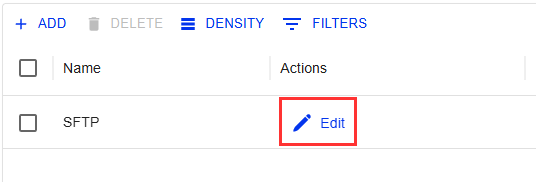
2. Find and select EDIT on the connection experiencing issues (in this case, Traversa)
3. Select TEST
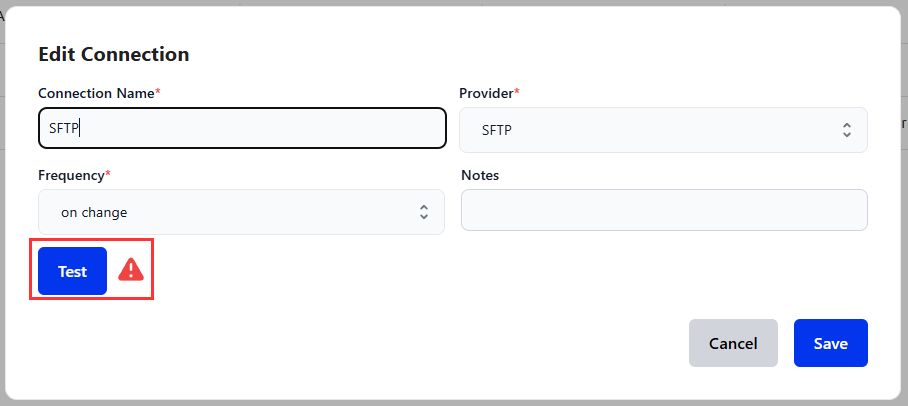
4. You should see a green Authorized! notification appear in the bottom left corner

This indicates the connection is working
Anything other than the above, such as a red Unauthorized notification, needs to be investigated
If the connection is not authorizing: click here to submit a ticket
5. Try reprinting the same card or printing a card for a different student. Do you receive the same error?
If the connection authorizes but the error persists: click here to submit a ticket
Was this article helpful?
That’s Great!
Thank you for your feedback
Sorry! We couldn't be helpful
Thank you for your feedback
Feedback sent
We appreciate your effort and will try to fix the article