Encoding: Failed to Login With Sector Key
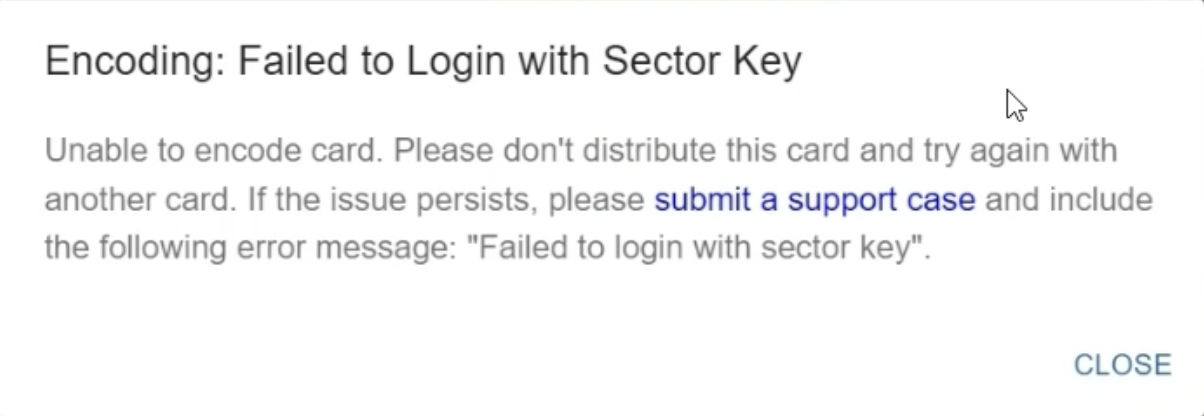 If you are seeing this error, review the following:
1. Clear the cache on your browser
2. Use Google Chrome
3. Restart your browser
a. Close every tab and log back in
b. Do this especially if Chrome/Edge need an update
Try printing again
If the issue persists, continue with the following:
4. Try a different browser, Chrome and Edge work best
5. If you are using a CIX900 printer, check and set the wait time
a. CIX900: [Windows] Set 3 Second Pause / Set Wait Time
6. Check the cards
a. RFID cards will have a number on their back with the RFID value
b. Card type is encodable and CI approved
c. Card is new (cards cannot be printed on again once they have been through the printer)
Try printing again
7. Restart the computer and the printer
a. Restart the printer by unplugging both cords from the back, waiting a few seconds, and plugging them in again
8. Check that the printer is connected directly to the computer
a. If it is not, please connect directly. You may need to move some cables around
9. Try another USB port on your computer
Click here to submit a ticket if you are still seeing the error after these changes.Was this article helpful?
That’s Great!
Thank you for your feedback
Sorry! We couldn't be helpful
Thank you for your feedback
Feedback sent
We appreciate your effort and will try to fix the article