If you are receiving a 3001 error or are unable to view the print preview, try adjusting your browser's PDF settings.

You need to allow PDFs to open in your browser.
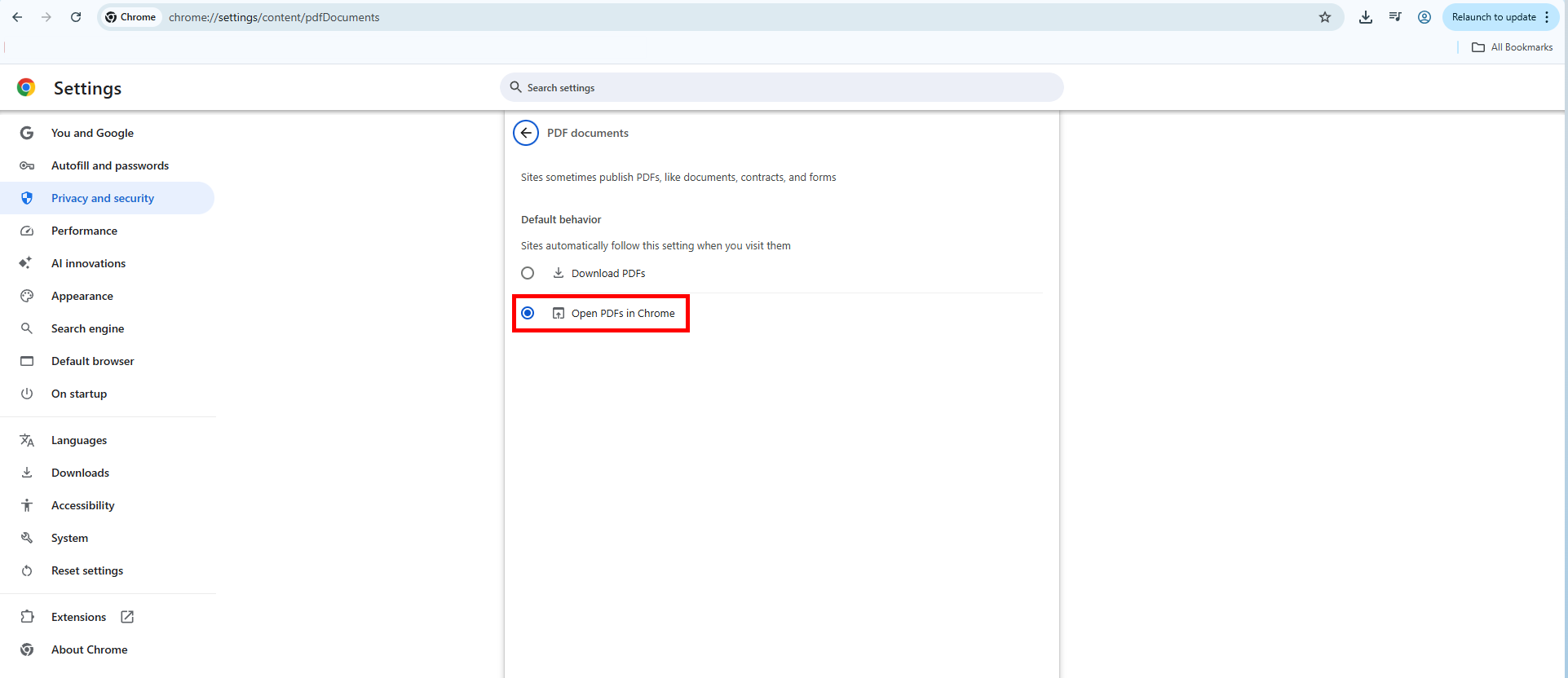
Google Chrome: Open PDFs
1. Copy and paste "chrome://settings/content/pdfDocuments" into your URL search bar
2. Select Open PDFs in Chrome
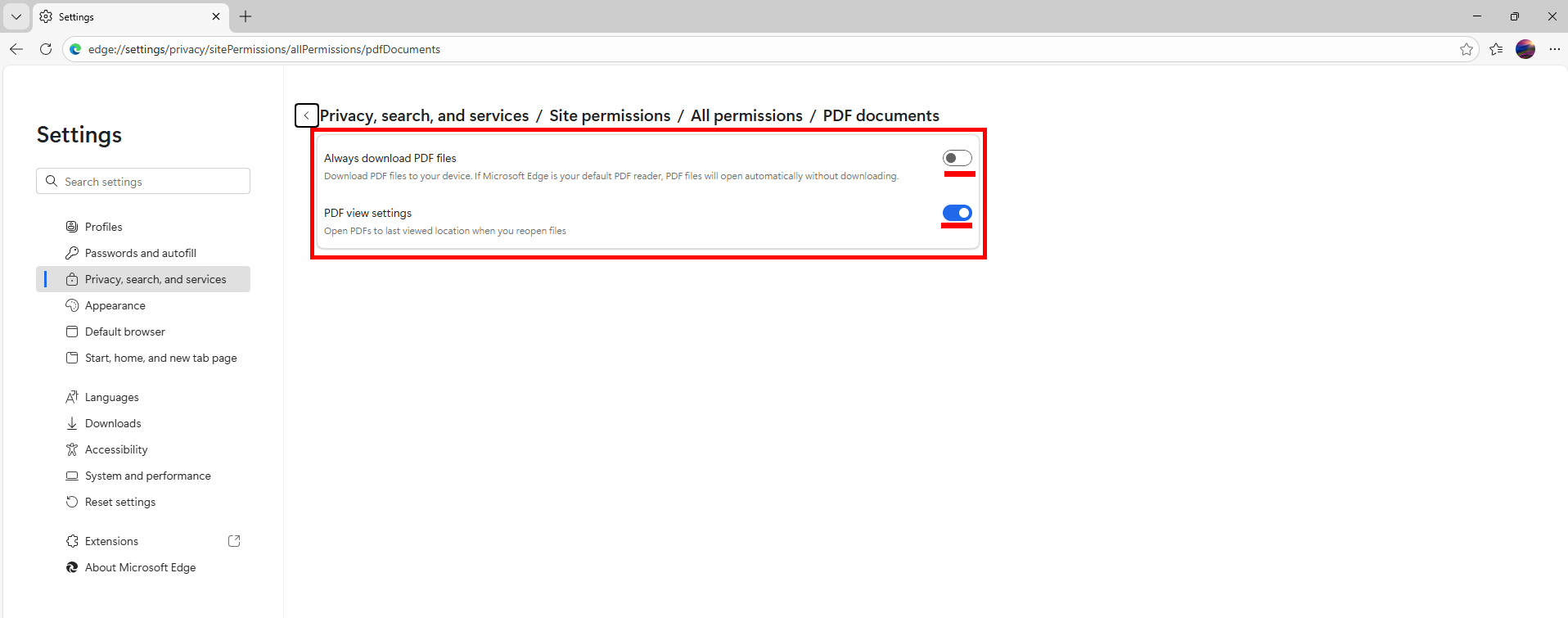
Microsoft Edge: PDF View Settings
1. Copy and paste "edge://settings/content/pdfDocuments" in your URL search bar
2. Toggle PDF view settings to ON (Blue)
3. Toggle Always download PDF files to OFF (White)
Was this article helpful?
That’s Great!
Thank you for your feedback
Sorry! We couldn't be helpful
Thank you for your feedback
Feedback sent
We appreciate your effort and will try to fix the article