Get Serial Number
There are two ways to find your printer's serial number, by looking at the printer or by checking on your computer.
Get Serial Number from the Printer
1. Oftentimes your printer will have a sticker on the printer itself with the printer's serial number
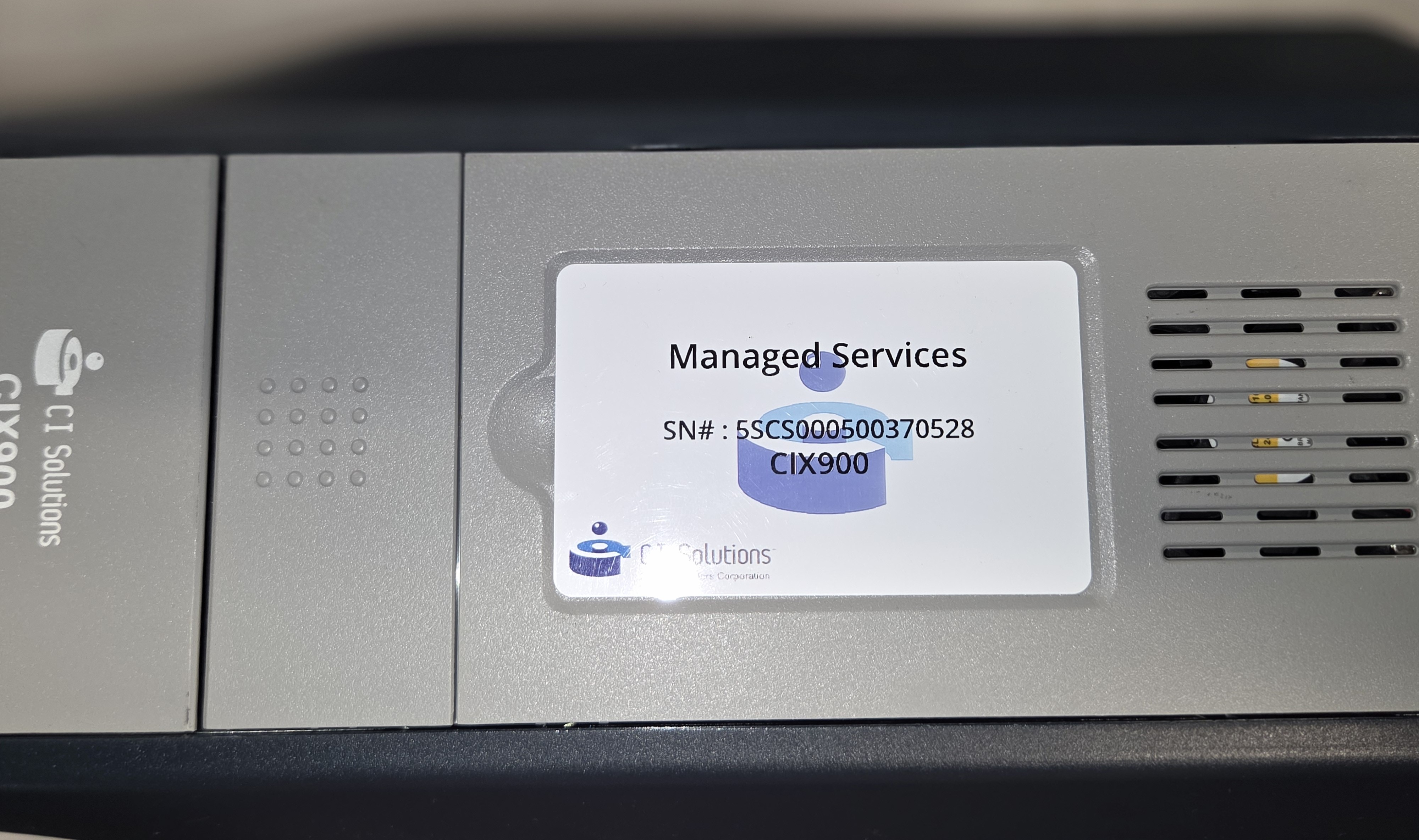
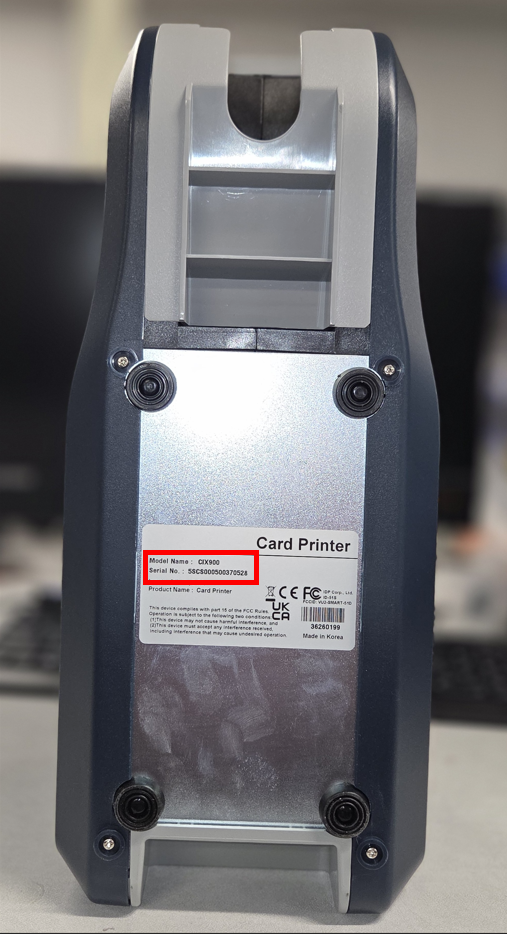
2. A sticker with the serial number will always be present underneath your printer. Lift your printer and check the serial number underneath
Get Serial Number from Printers & Scanners
1. Go to your Start Menu and type in Printers & Scanners and select printer

2. Select IDP SOLID-510 Card Printer (CIX900 Card Printer).

3. Select Printer Properties

4. Click on the Service tab, then click the + next to Printer
The Serial Number should display under Printer.
Was this article helpful?
That’s Great!
Thank you for your feedback
Sorry! We couldn't be helpful
Thank you for your feedback
Feedback sent
We appreciate your effort and will try to fix the article