Check Print Service Version
There are several versions of the Print Service, here is how to check which version your computer is running
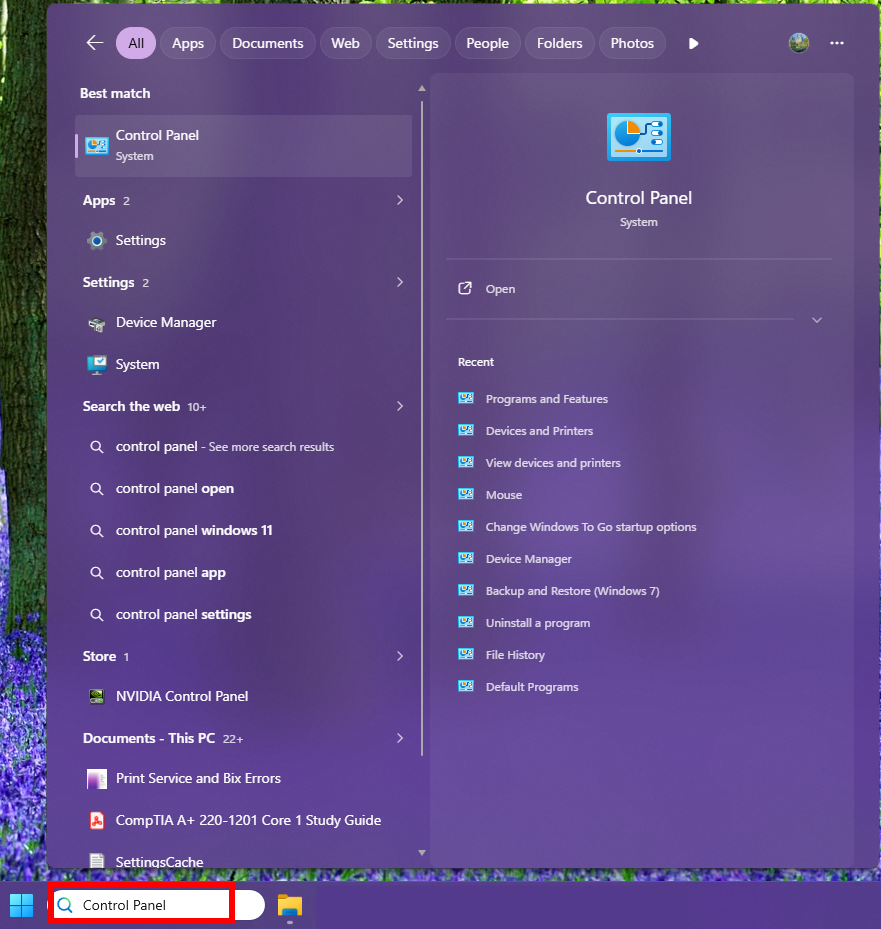
1. Open Control Panel on your computer
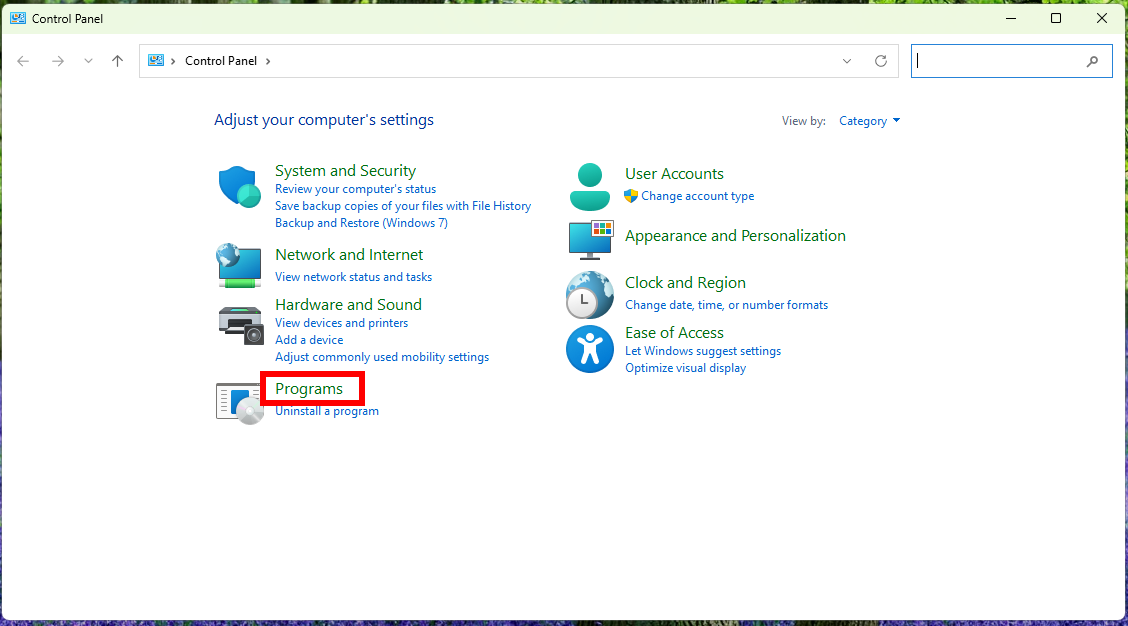
2. Go to Programs
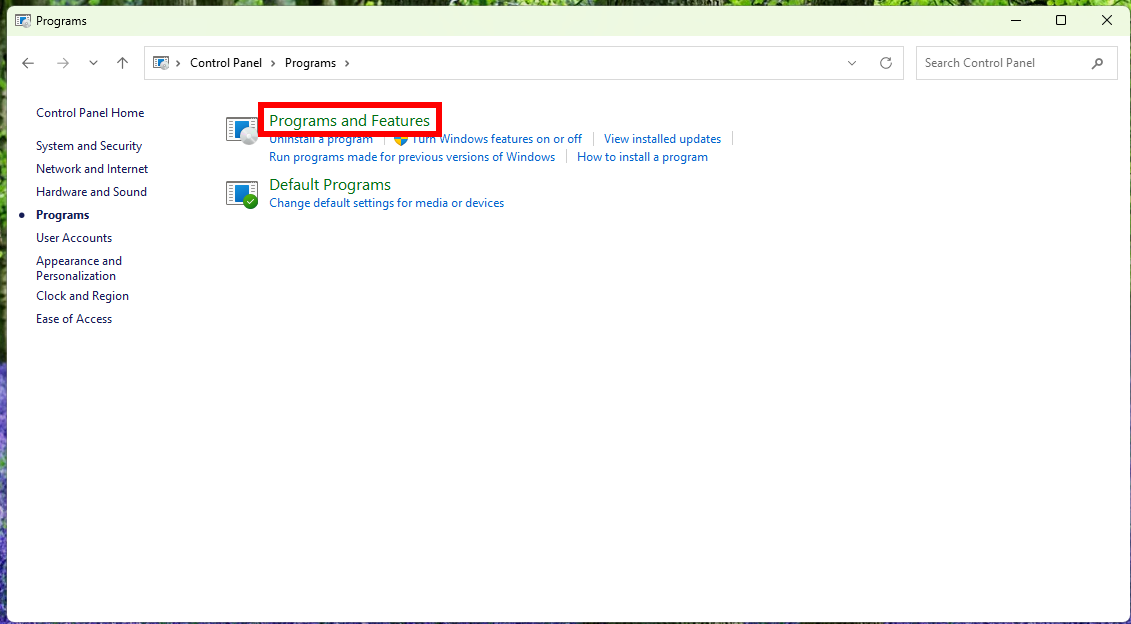
3. Go to Programs and Features
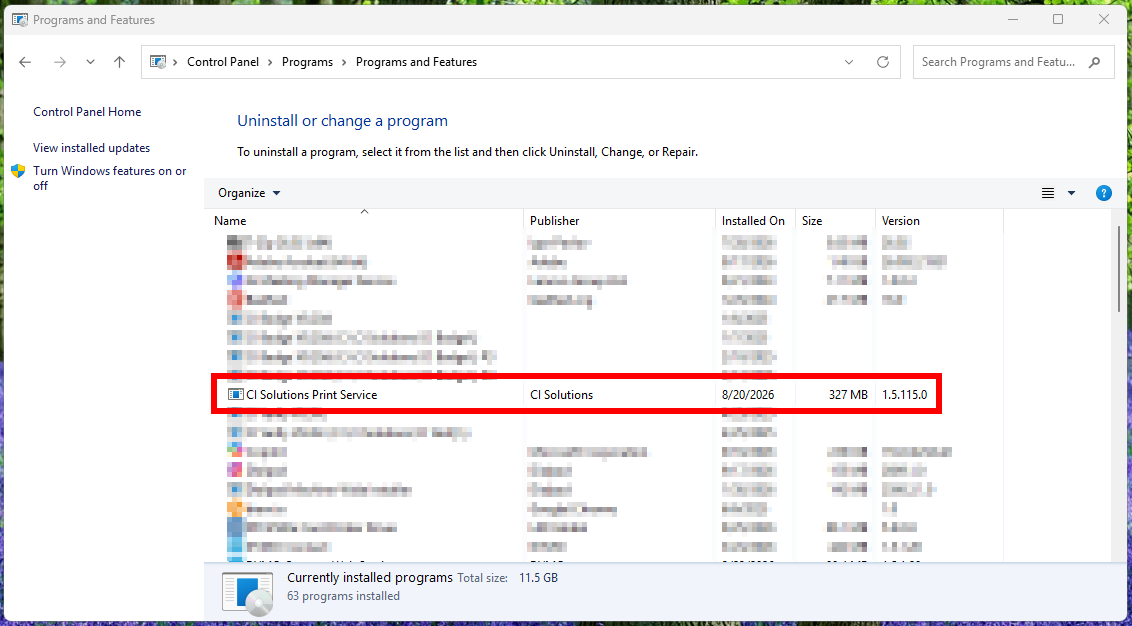
4. Wait for it to load, and look for the CI Solutions Print Service. Take a screenshot of which version you have
For example, this computer is running version 115
Was this article helpful?
That’s Great!
Thank you for your feedback
Sorry! We couldn't be helpful
Thank you for your feedback
Feedback sent
We appreciate your effort and will try to fix the article